Connect, control and manage any building with the OpenBMS supervisor.
OpenBMS Studio brings equipment from any manufacturer onto a single platform, from field device to enterprise dashboard, using the workflow Niagara engineers already know.
- Station + Workbench
- BACnet, Modbus, OPC UA, MQTT
- Imports Niagara AX and N4 stations
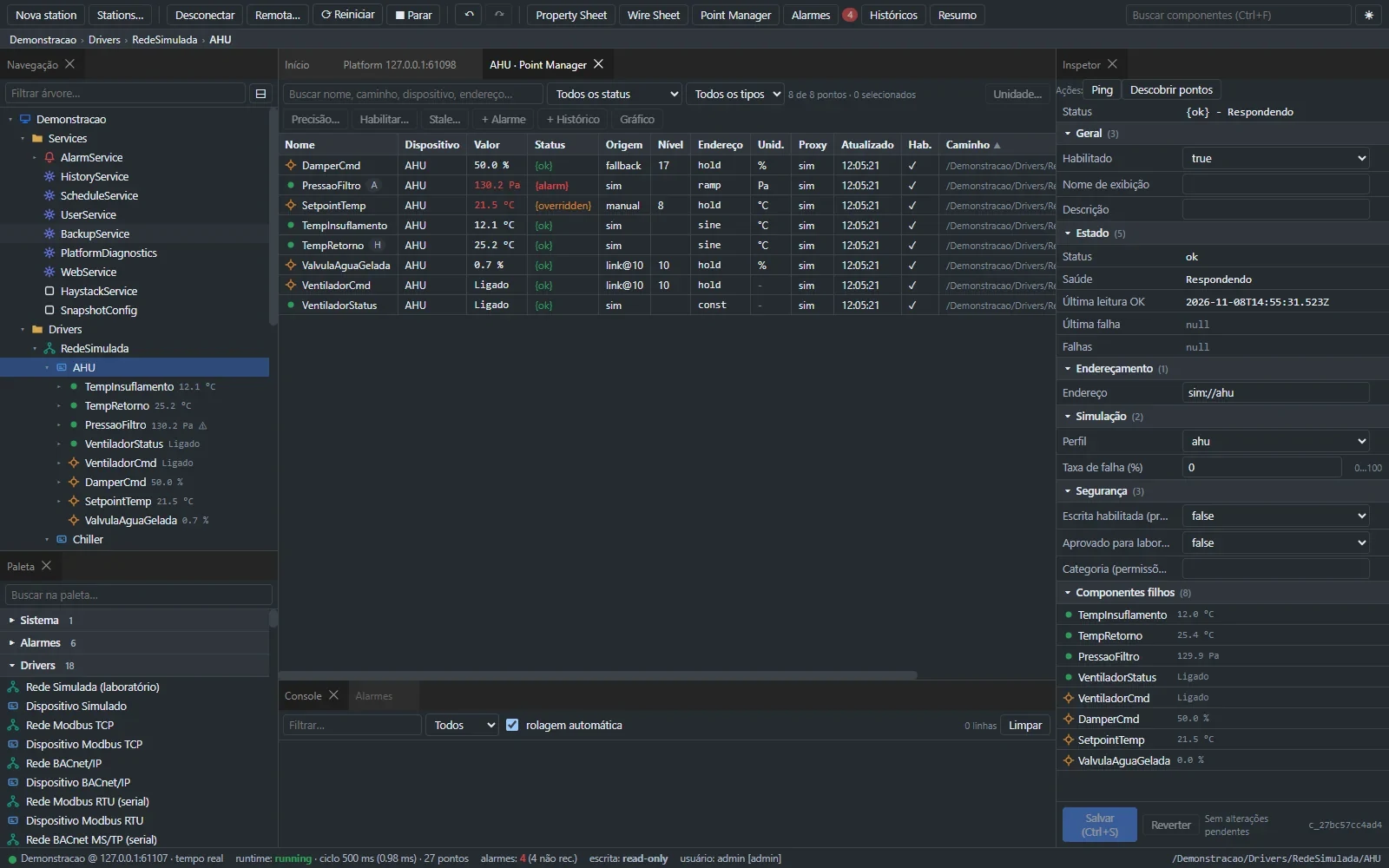
Native connectivity with the protocols already running in your building
Buildings have plenty of data and too little integration.
Siloed systems
HVAC, energy, lighting and access control speak different protocols, each with its own dashboard.
Trapped data
Values with no naming standard or context are hard to measure, compare and optimize.
Vendor lock-in
Closed tools and formats tie operations to a single vendor and licensing model.
Cyber risk
Default passwords, uncontrolled writes and exposed field buses are still common.
One framework. The whole building.
A single station connects any manufacturer, normalizes data into one component model and delivers control, alarms, histories, graphics and APIs, from field device to enterprise dashboard.
What's in the box
Station
The runtime that runs the building: components, logic, drivers, alarms, histories and schedules, backed by a resilient local database.
Workbench
The engineering tool: navigation tree, editors, Wire Sheet, Device/Point Manager and PX graphics.
Platform
Host management: installation, stations, backup and restore, upgrades and diagnostics.
Modules
Signed, sandboxed extensions: new drivers, control blocks, services and dashboards.
From field equipment to data you can use.
Four steps, all in the same station, running on-site with no cloud dependency.
- 1
Connect
Native drivers discover BACnet, Modbus, OPC UA, MQTT and SNMP devices on the network.
- 2
Model
Device Manager and Point Manager create points in bulk in a single component model, tagged with Project Haystack.
- 3
Control
Wire Sheet logic, alarms, histories and schedules run in the station, with field writes locked until explicitly authorized.
- 4
Operate and integrate
PX graphics for operators, plus the REST API, Haystack and MQTT bridge for BI and enterprise systems.
Built for the people who design, run and secure buildings.
Systems integrators
The same mental model as Niagara N4, with open formats and APIs. Your team builds on what it already knows, without being locked into closed tools.
Facilities and building engineering
One system for HVAC, energy, lighting and utilities, instead of a different dashboard for every vendor.
IT and information security
Read-only by default, no default passwords, corporate SSO and a full audit trail of who did what.
Portfolio owners
Hospitals, offices, industrial sites and retail: normalized, tagged data ready for analytics and BI.
Everything engineering needs, in one place.
Multi-protocol connectivity
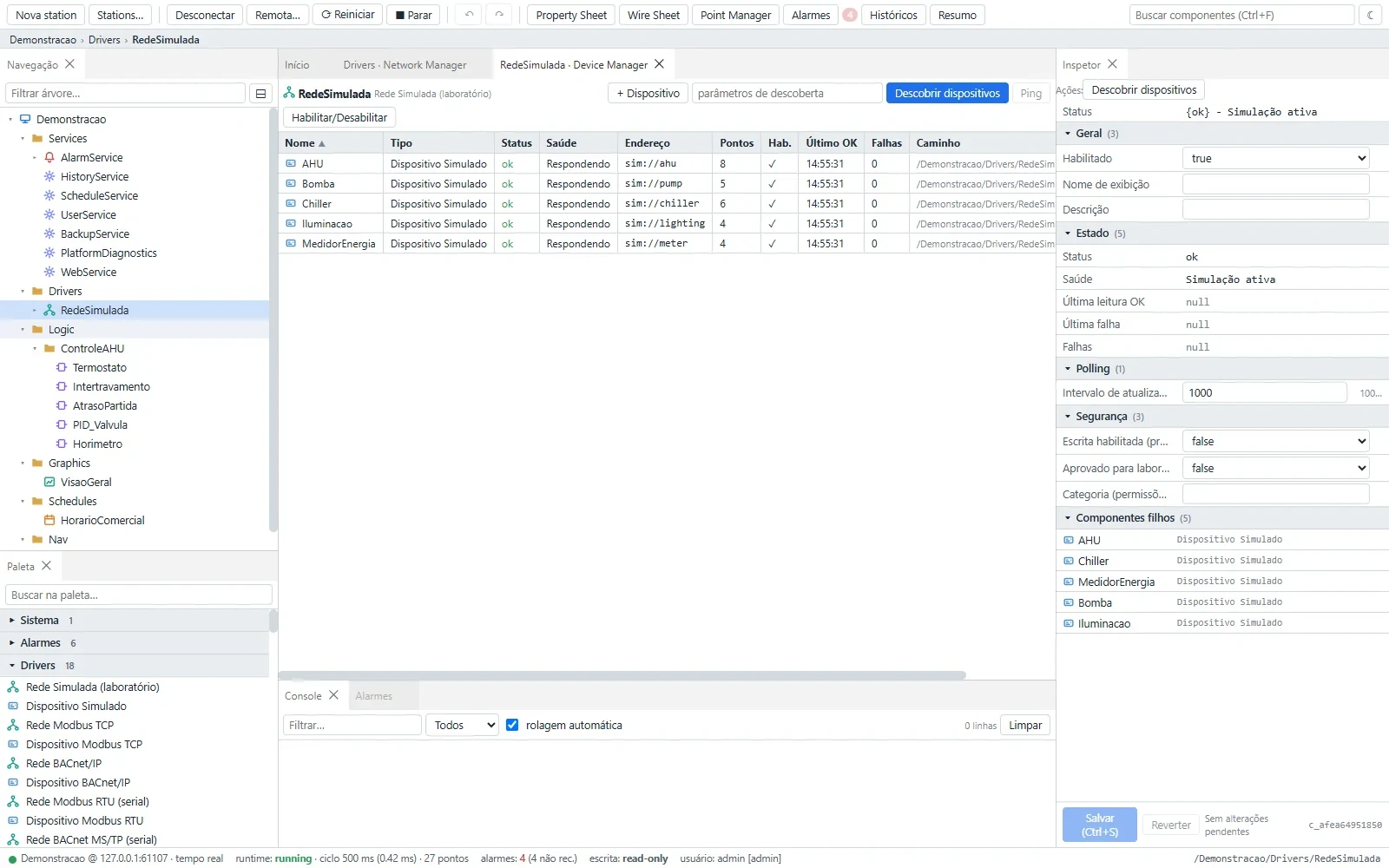
Native drivers with auto-discovery, plus Device Manager and Point Manager to create points in bulk. Every protocol has been lab-validated against independent implementations.
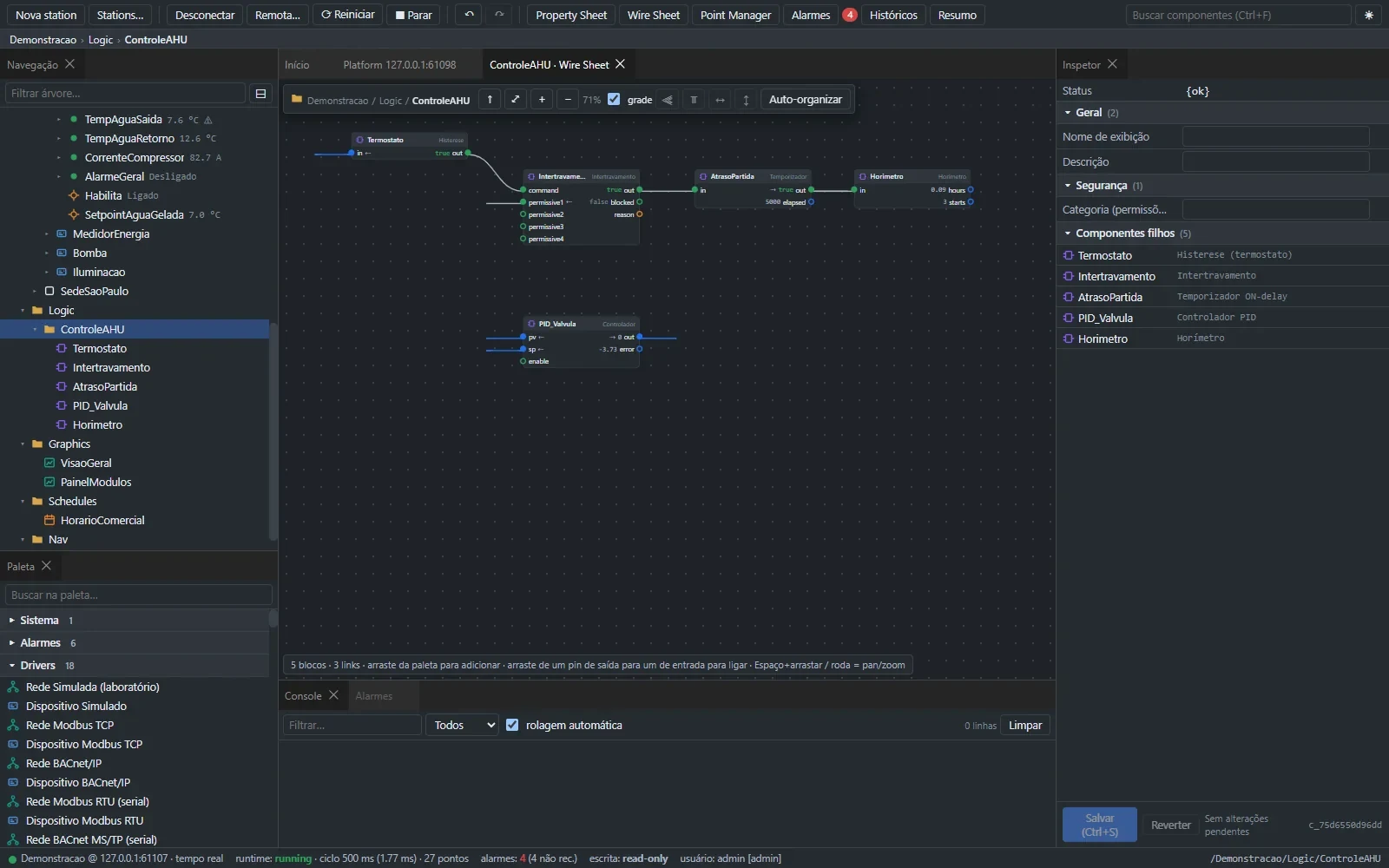
Visual logic with deterministic execution
Wire Sheet with kitControl-equivalent blocks (logic, math, timers, converters and PID), reusable containers and live values on every pin.
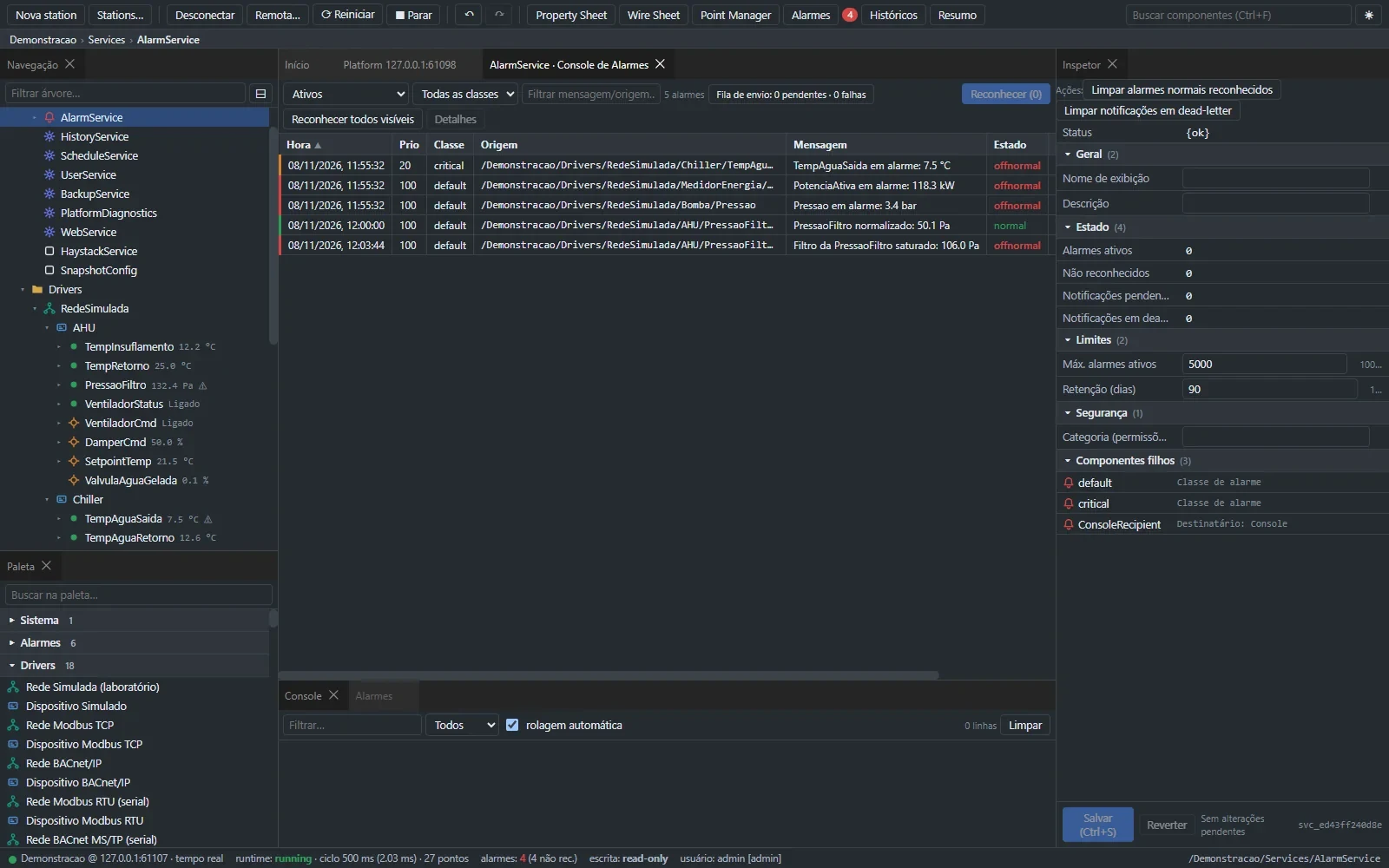
Alarms, histories and schedules
Alarm classes and priorities with acknowledgement, interval or change-of-value history collection, and weekly schedules with holidays and exceptions.
Graphics operators actually understand
PX editor with widgets bound to live points, screen-to-screen navigation, light and dark themes, and 17 languages.
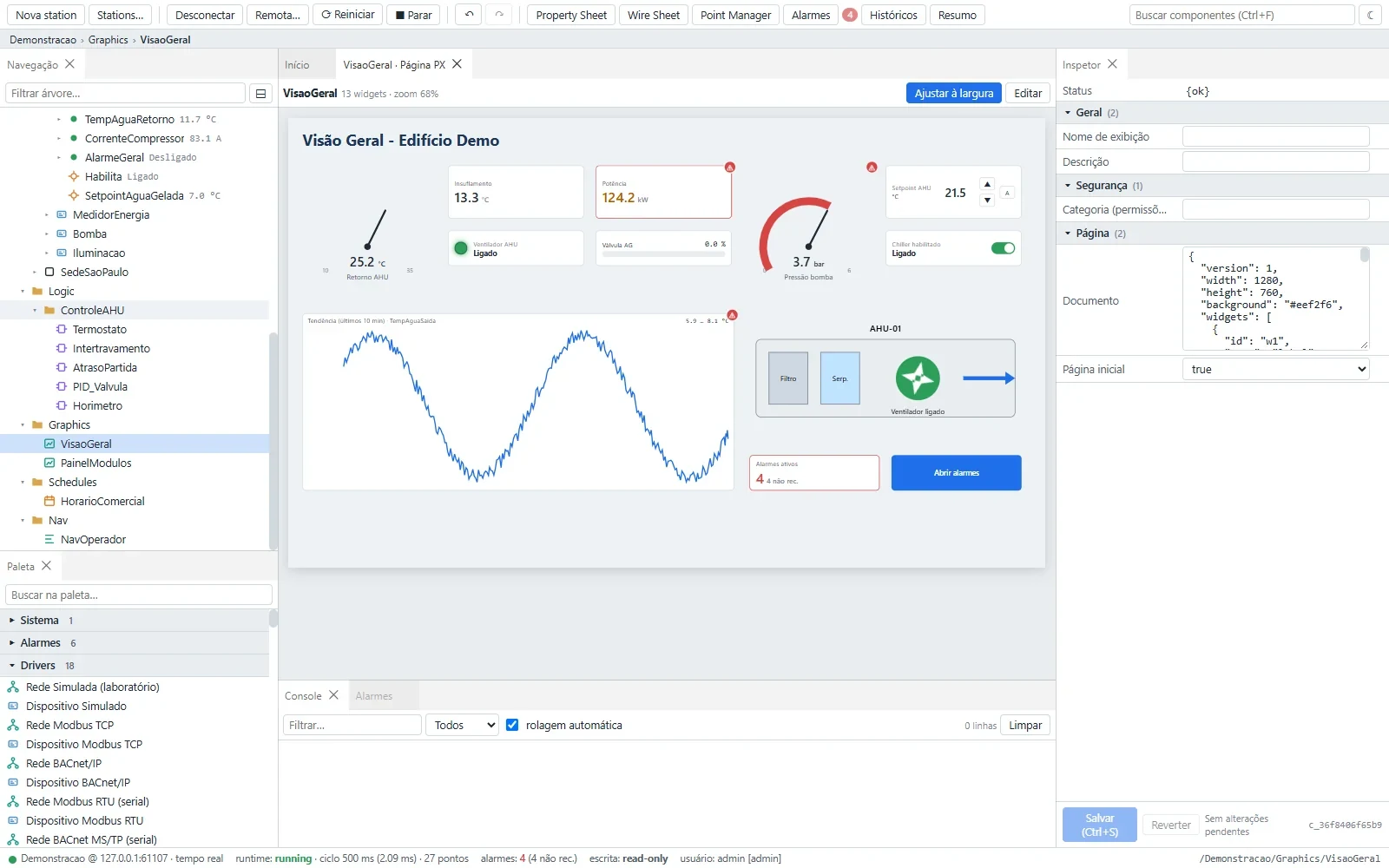
Tagged data model
Everything is a component, with typed properties, status and Project Haystack-compatible tags, ready for BI and analytics.
Open ecosystem
Module SDK, signed catalog and REST API to extend the platform with your own drivers, blocks and dashboards.
Global from day one
UI and installer in 17 languages, including right-to-left Arabic.
Bring the station you already have.
The import wizard reads Niagara AX and N4 backups and shows, component by component, what happened to every item.
- Preservednothing disappears
- Convertedtypes mapped
- Executableblocks ready to run
- Operationalproven running after import
- Linkslinks rebuilt
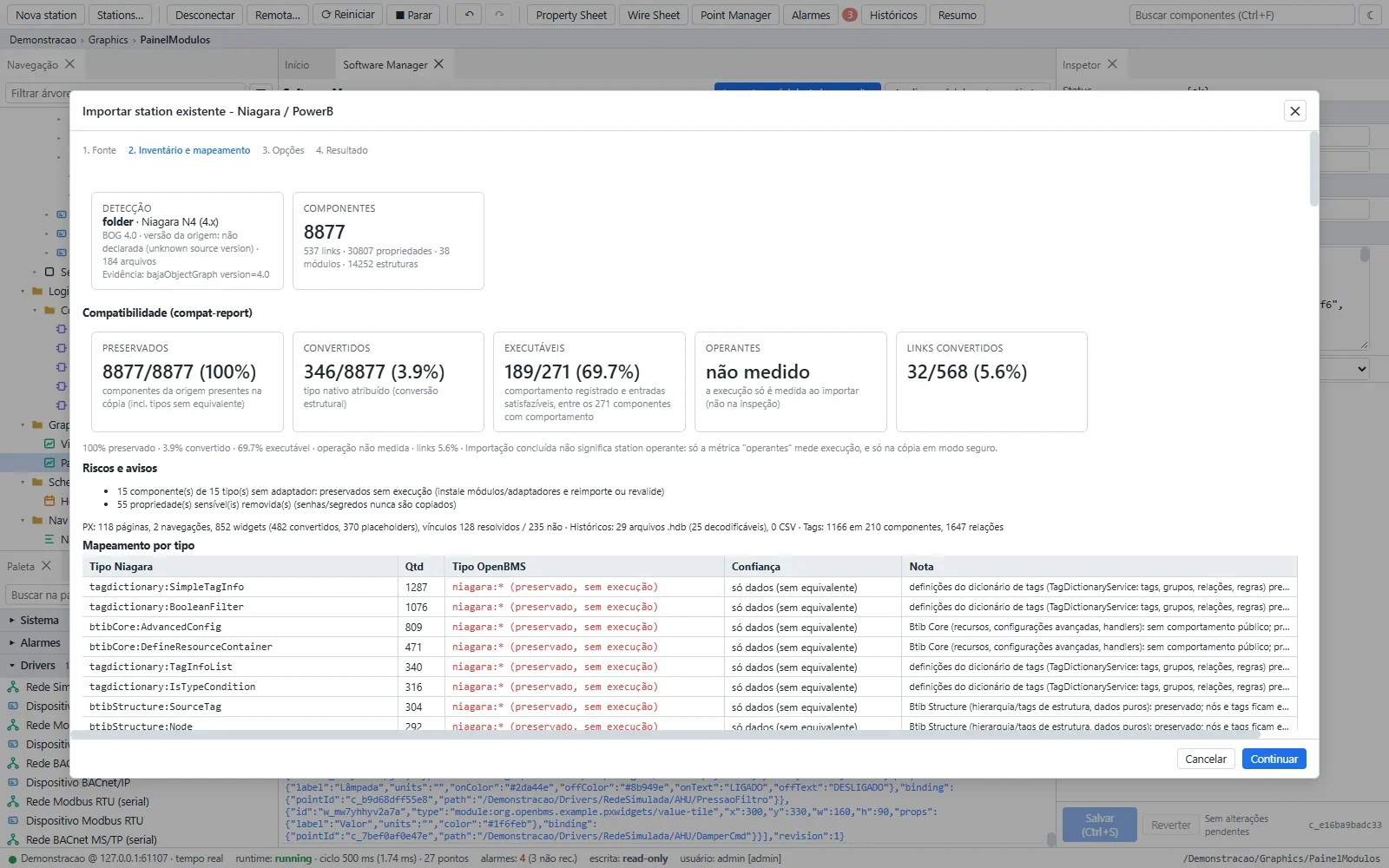
Concept mapping
Commercial components are flagged as "requires module X". .jar modules are analyzed and replaced with equivalent OpenBMS modules; the original JAR is never executed.
Secure from the very first screen.
Identity
Roles scoped by area, category and action; SSO with OIDC, SAML and LDAP.
Controlled writes
Stations start read-only; writing to field devices requires arming the write policy.
Audit trail
Who did what, when and from where.
No default password
Administrator set on first use, lockout after failed attempts, strong passwords enforced.
Sandboxed modules
Verified signatures, declared permissions and confinement with Windows Job Objects.
Verified supply chain
Signed catalog, dependency inventory, vulnerability scanning and SBOM.
Measured, not promised.
Measured on version 0.3.2 on a lab bench, without field equipment.
From first test to pilot in three steps.
- 1
Guided evaluation
30 minutes on a Windows machine, with a live demo station.
- 2
Lab pilot
Import a real Niagara backup and review the compatibility report item by item.
- 3
Field qualification
A read-only phase on site before any command is sent to equipment.
Frequently asked questions
No. OpenBMS imports AX and N4 backups and lets you run a parallel pilot without touching the system in production.
No. They depend on proprietary libraries. OpenBMS analyzes each JAR and offers an equivalent module where one exists; the original JAR is never executed.
BACnet/IP, BACnet/SC, Modbus TCP and RTU, OPC UA, MQTT, SNMP v2c/v3, Project Haystack and oBIX. For identity: OIDC, SAML and LDAP.
Yes. Signed modules add new drivers, control blocks, services and dashboards without touching the station core, using the module SDK and the signed catalog.
Yes. The station runs locally; nothing depends on the cloud.
64-bit Windows 10 and 11, with per-user installation and no admin elevation required.
No. Every station starts read-only, and every write is authorized and audited.
The product is proven in the lab. Going into production requires field qualification, starting in read-only mode.
Yes, through the REST API, Project Haystack and the MQTT bridge.
The UI and installer are available in 17 languages, including right-to-left Arabic.
Niagara and N4 are trademarks of Tridium. OpenBMS Studio is an independent project, not affiliated with Tridium and containing no Tridium code.